The Tycoon CLI
Product Release: A local-first analytics CLI for data practitioners who want to install just one package
Author: Stephen Sciortino

Tycoon is a command-line tool that builds and runs a complete data pipeline on your own machine. You describe your stack in a single tycoon.yml file, and Tycoon wires together ingestion (dlt), a DuckDB warehouse, transformation (dbt), and dashboards (Rill) — plus optional orchestration (Dagster) and a local AI agent. Install it with pip, run tycoon init to create the config, then tycoon data run-all to ingest, transform, and build dashboards. No cloud account, no glue code.
What Tycoon Is
Tycoon wires dlt, dbt, DuckDB, Rill, and (optionally) Dagster + a local LLM into a single command-line tool. With Tycoon, you won’t have to write the same glue code on every project.

Who It's For
Data engineers spinning up POCs, demos, or side projects who don't want to provision cloud infrastructure just to try an idea.
Analytics engineers with an existing dbt project who want first-class ingestion + dashboards + observability without standing up Airflow.
Solo data folks at startups who need a production-grade pipeline but don't have a platform team behind them.
Educators, conference speakers, and writers who need a pipeline that runs identically on a laptop and in CI. No "works on my machine" caveats.
See Tycoon CLI In Action
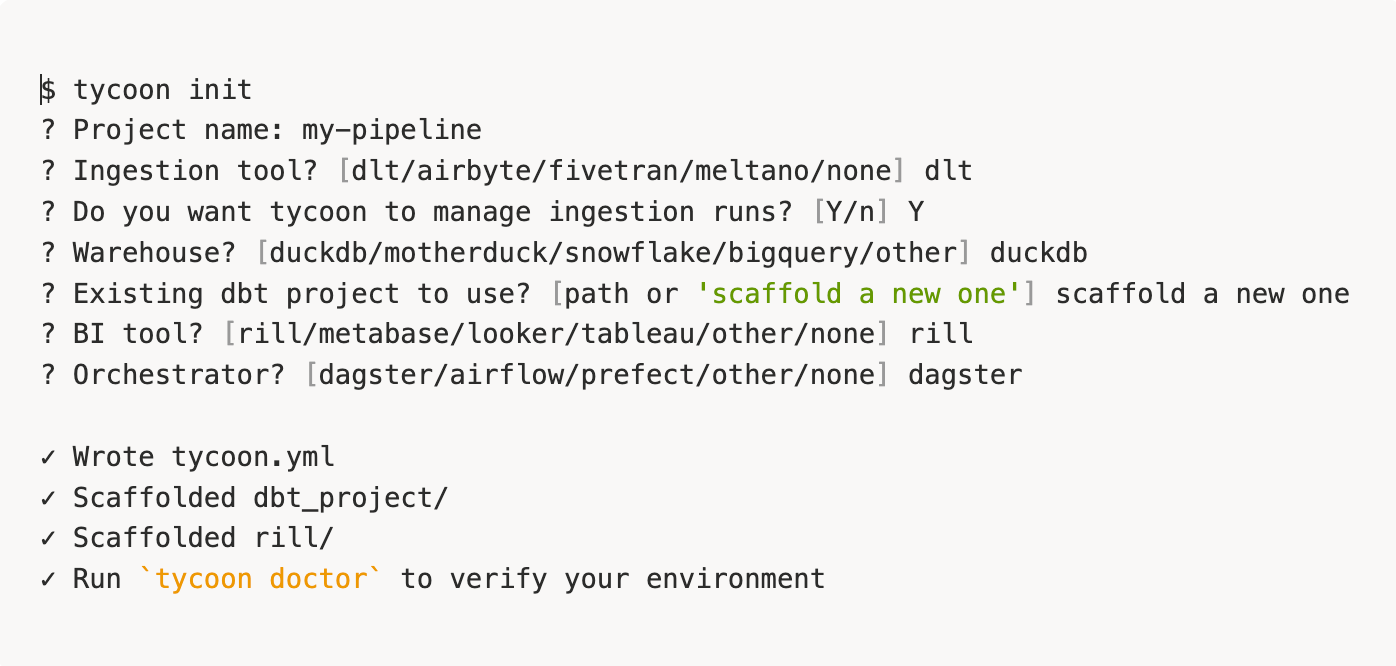
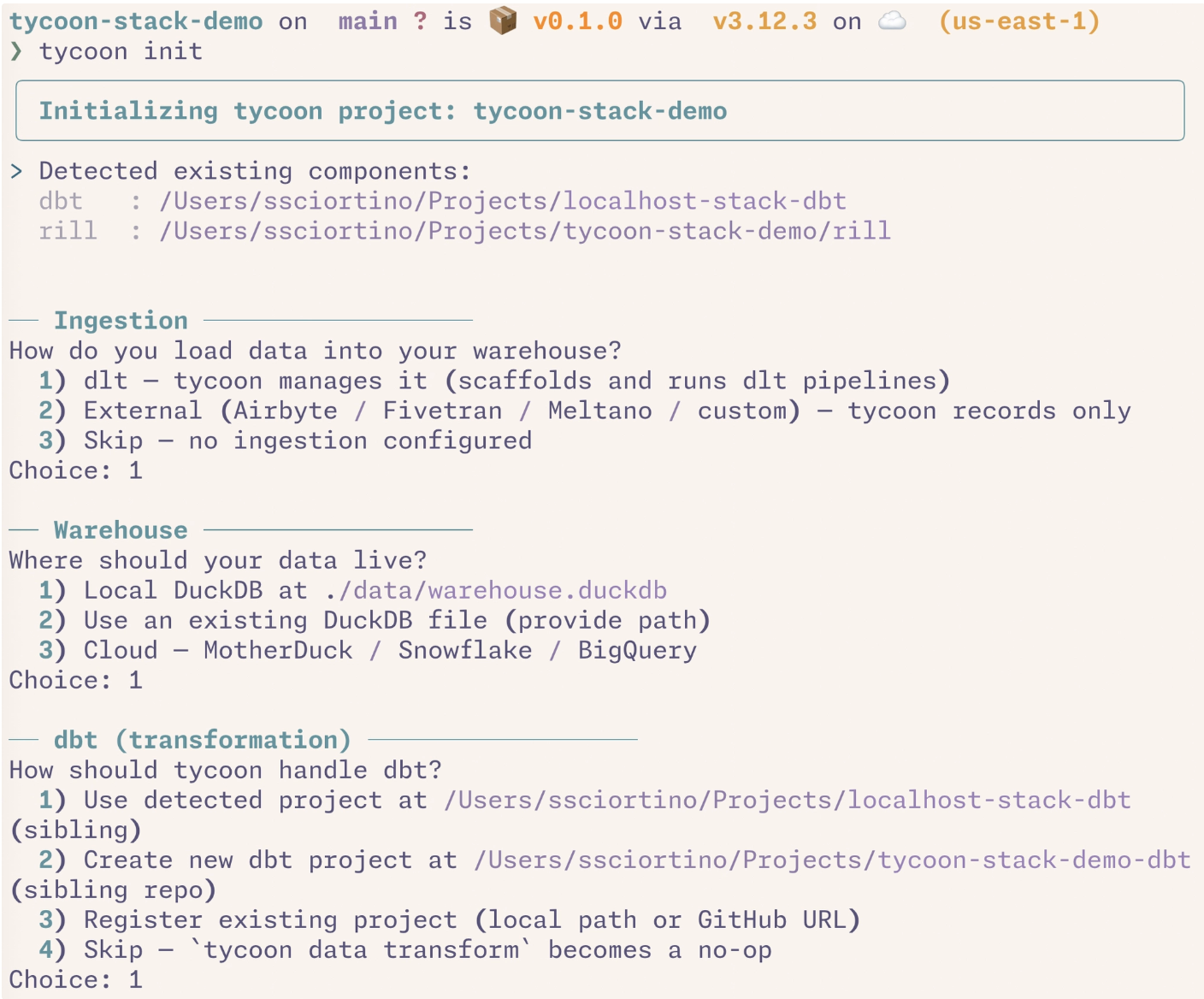
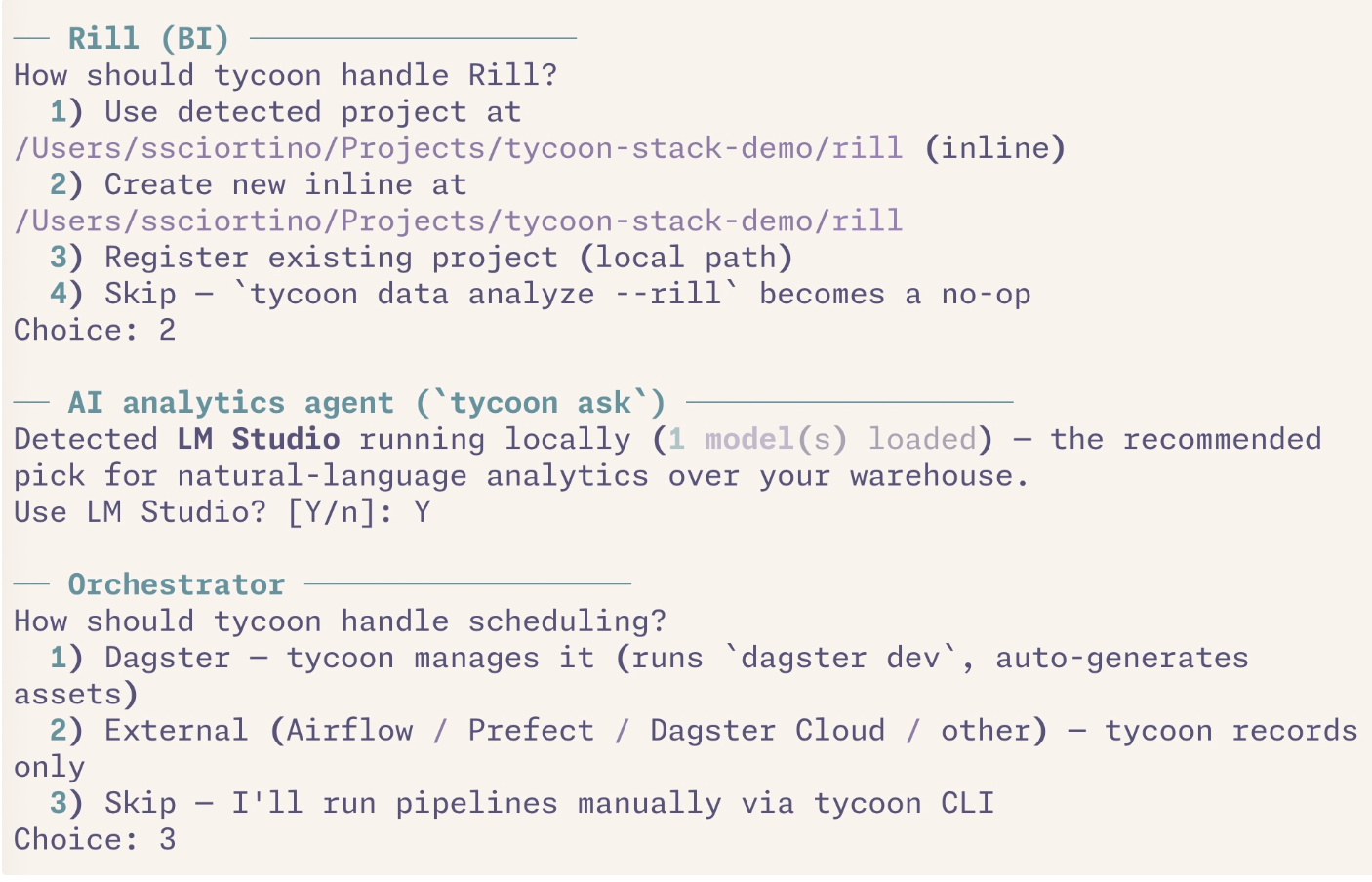
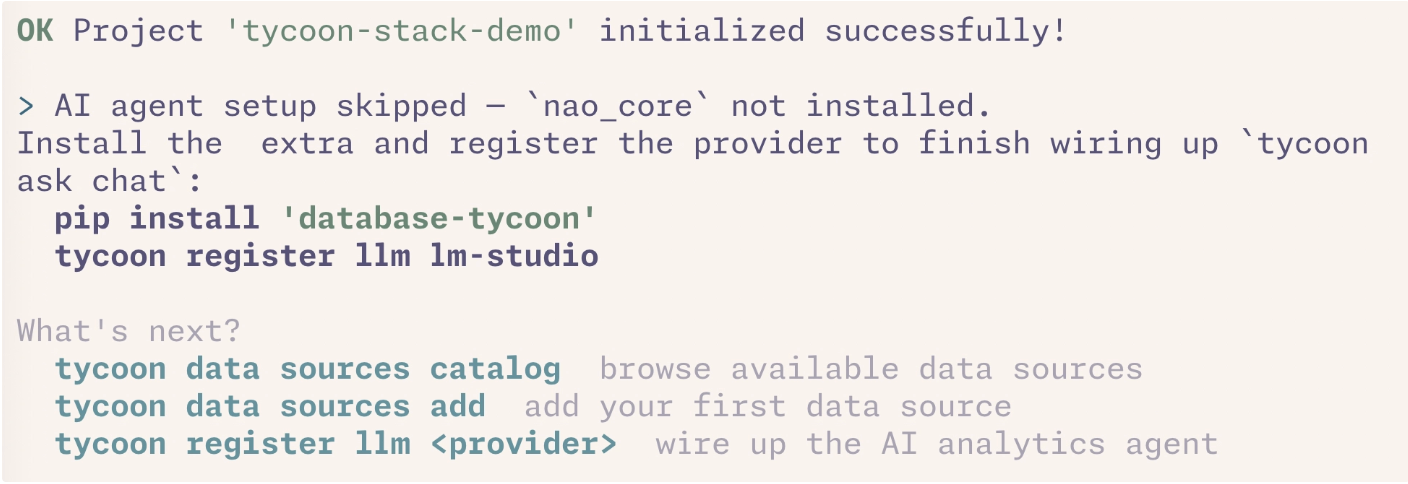
1. tycoon init adapts to your stack
The wizard asks before it assumes. Pick what you already use, mark it managed: false, and tycoon orchestrates around it instead of over it.
2. One command, real dashboards
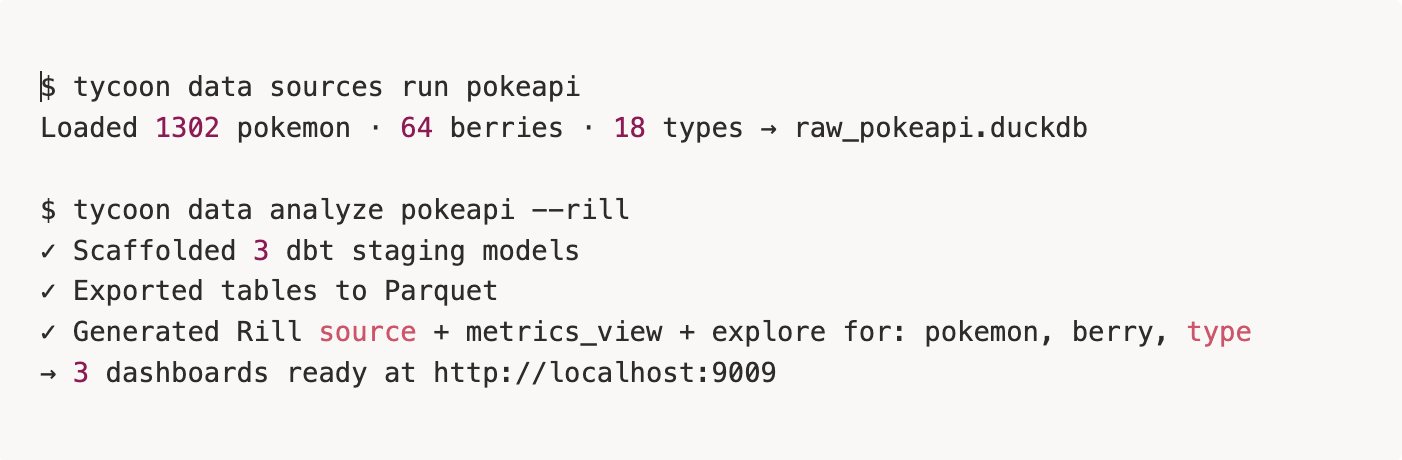
tycoon data analyze <source> --rill introspects every raw table, scaffolds dbt staging models, exports Parquet, and generates a Rill source + metrics view + explore per table.
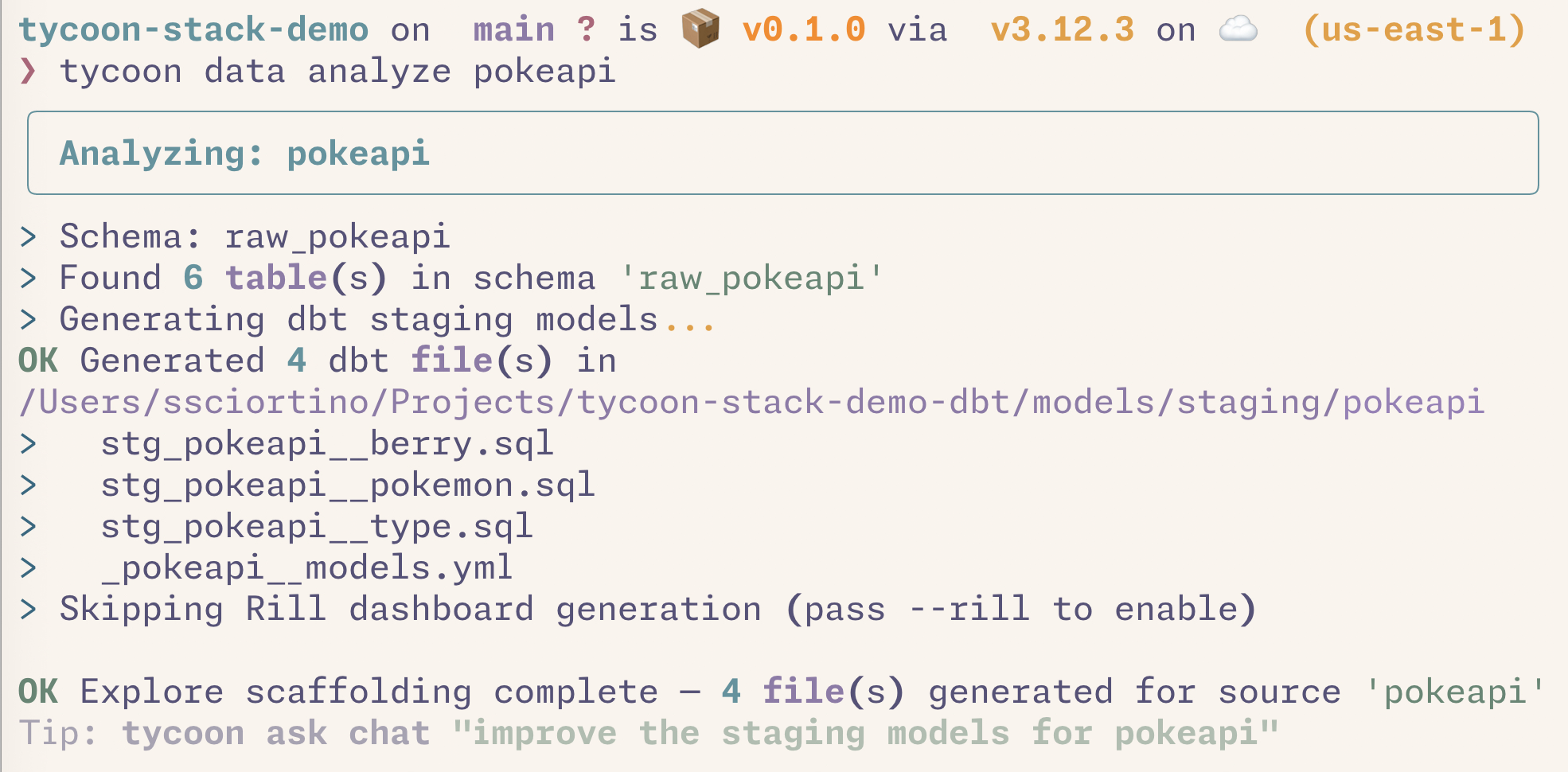
^ Create dbt staging models from raw dlt tables
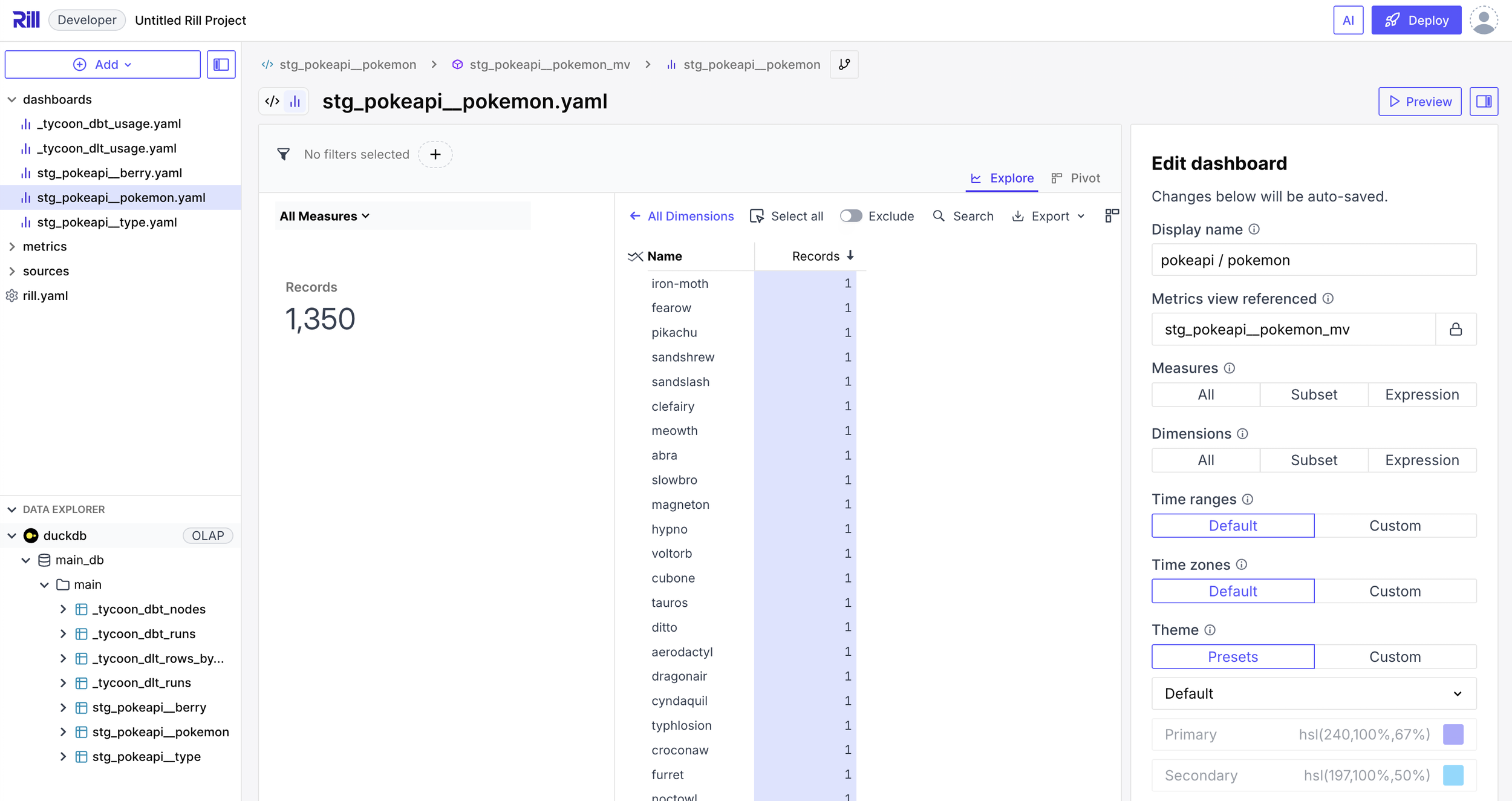
^ Create scaffolding for Rill dashboards from pure DuckDB and dbt
3. Chat with your data using a local LLM
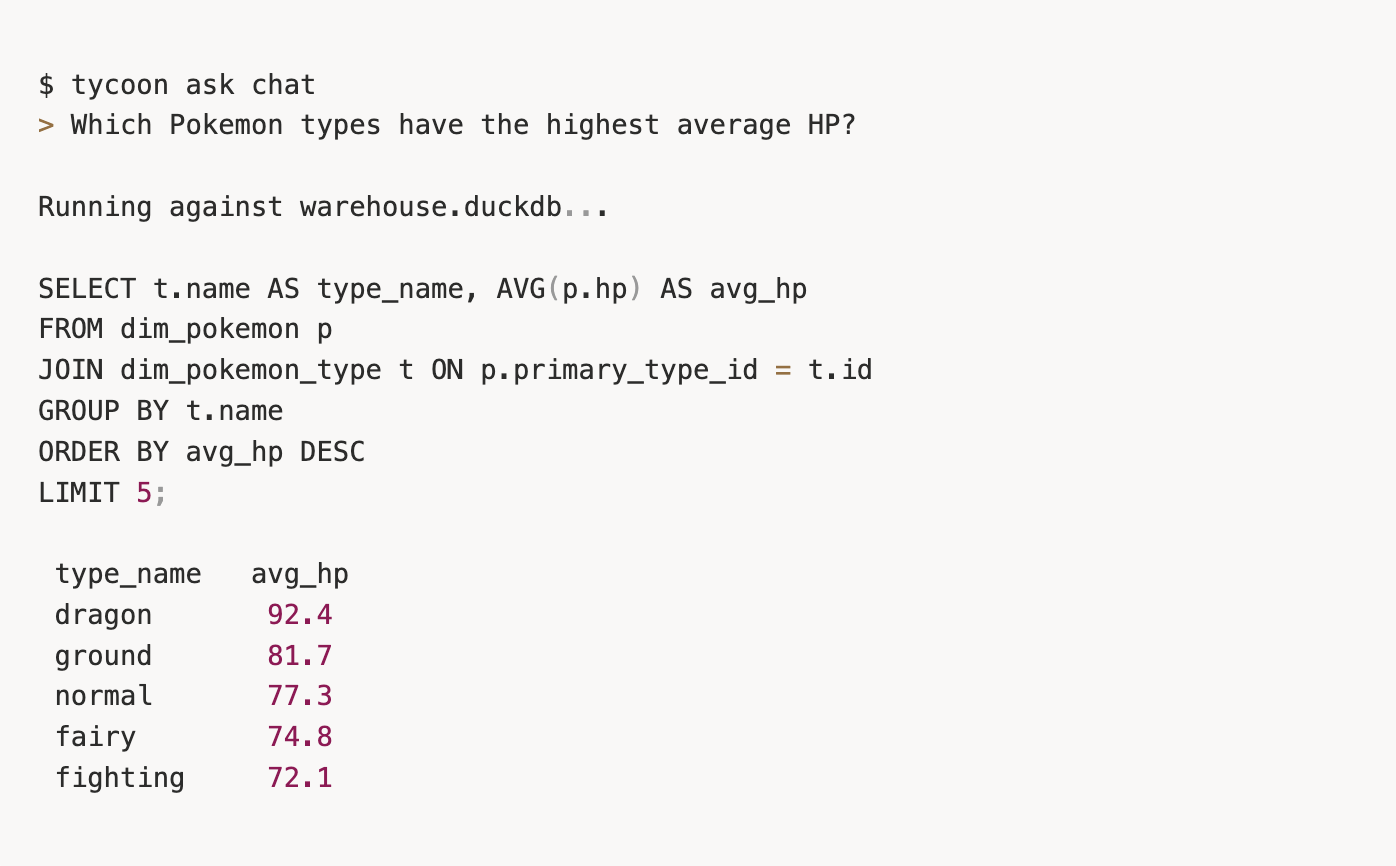
tycoon[ask] ships Nao wired up to LM Studio or Ollama. No API key, no token leaving your laptop. The agent reads your synced schema context and writes the SQL for you.
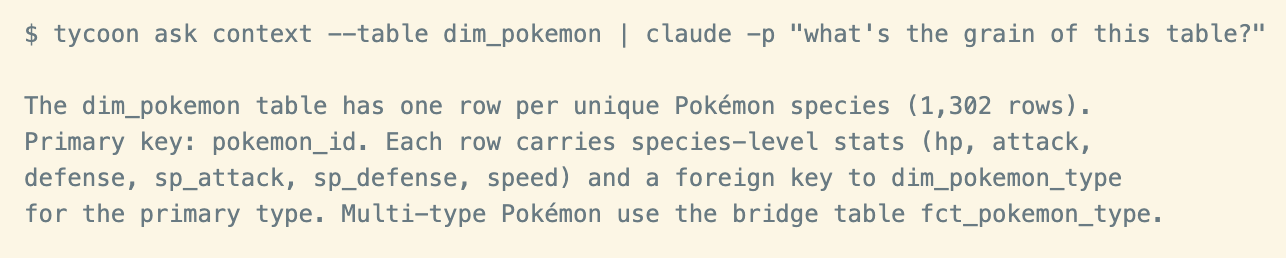
4. Pipe schema context into any AI coding agent
tycoon ask context emits markdown built from your synced warehouse schema — drop it into Claude Code, Cursor, Windsurf, or any agent that reads AGENTS.md.
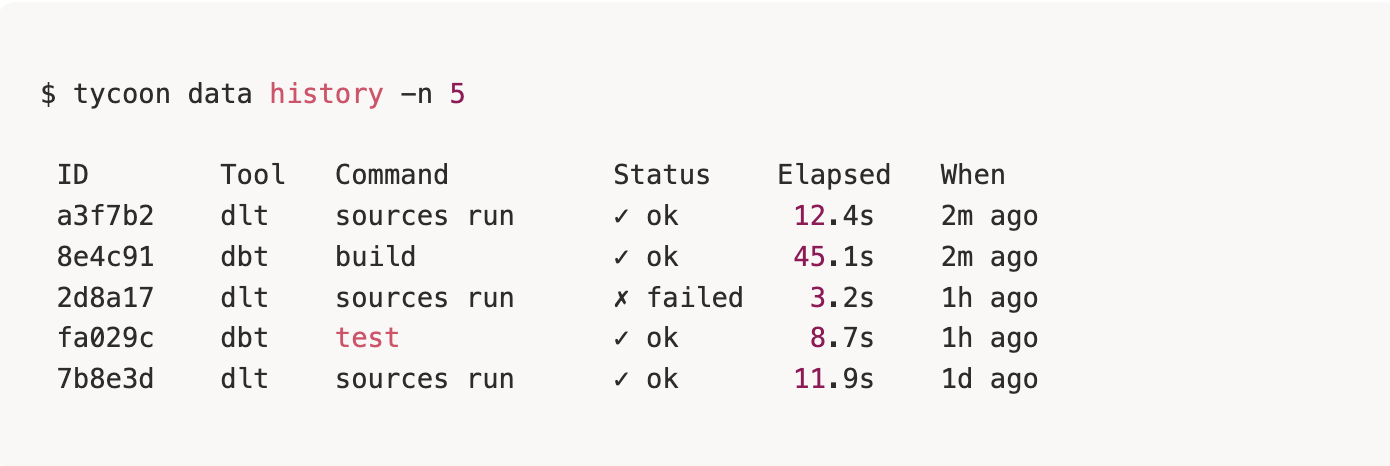
5. Observability you didn't have to build
Every dlt load and every dbt run is mirrored into .tycoon/metadata.duckdb. Two Rill dashboards (_tycoon_dlt_usage, tycoondbt_usage) appear automatically alongside your per-source explores.
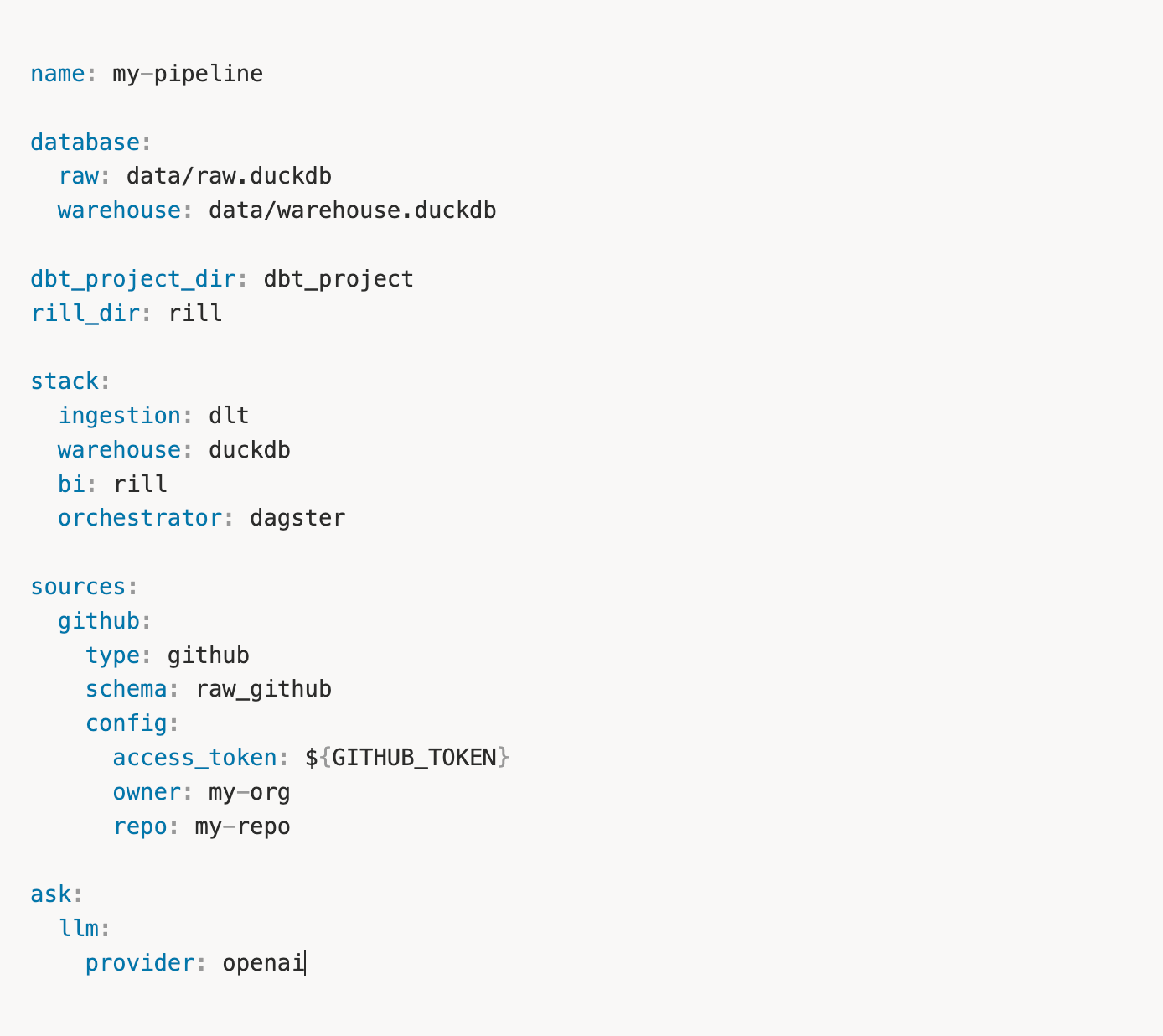
6. tycoon.yml is the contract
One file declares your stack. Env vars are interpolated. tycoon doctor validates everything before you waste a command.
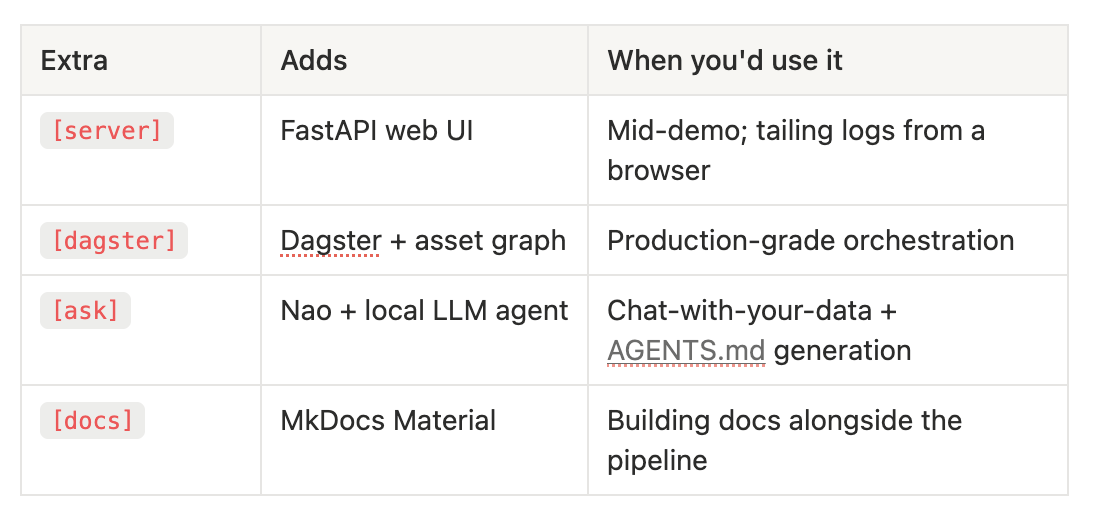
Composable Extras, Lean Base
The base install runs the full ingestion → transformation → dashboards loop. Pick up extras only as you need them.
Is Tycoon CLI The Right Fit?
There are a few cases where Tycoon CLI isn’t the correct tool for you or your team. We wouldn’t recommend Tycoon CLI if you need a hosted, multi-tenant SaaS, or you're committed to a fully UI-driven workflow. But we’d still recommend downloading Tycoon CLI and giving it a try!
Get started
pip install database-tycoon
tycoon init --template csv-import
tycoon data run-all
tycoon start --only rill